• Resource
      SUPPORT
    • Getting started
    • Why ClearoutPhone?
    • Carrier Lookup
    • Phone Line Type Lookup
    • Enterprise
    • API Documents
    • BLOGS
    • SMS List Fatigue: Why Subscribers Stop Responding
    • Prevent OTP Delivery Failures and Improve User Onboarding
    • View All Blogs
  • Integrations
  • Pricing
  • Developers
  • Login
REQUEST FOR DEMO
Akanksha Mishra / July 31, 2026 July 31, 2026

SMS List Fatigue: Why Subscribers Stop Responding


SMS List Fatigue: Why Subscribers Stop Responding

You’re seeing a sustained SMS engagement drop even though your subscriber counts haven't fallen. GetApp's 2024 Advertising Preferences Survey found 40% of U.S. consumers unsubscribe from brand texts weekly. Postscript's 2026 SMS Benchmarks report shows campaign unsubscribe rates near 0.33 to 0.88% per send.

These numbers add up fast once your list reaches real scale. Replies are slower, conversions are down, and open rate alone no longer explains it. You might assume subscribers are simply tired of texts.

In many cases, the real cause is genuine fatigue mixed with an unvalidated number list. This blog separates the two and shows you the SMS metrics that shows fatigue early.

Table of Content


‣ What is SMS list fatigue?
‣ How to identify SMS list fatigue early?
‣ The most common reasons for SMS fatigue
‣ Strategies to reduce SMS list fatigue
‣ How to re-engage subscribers showing SMS fatigue?
‣ How can ClearoutPhone keep your SMS list healthy?
‣ The advantages of SMS list validation
‣ Final takeaways
‣ FAQ
What is SMS list fatigue?


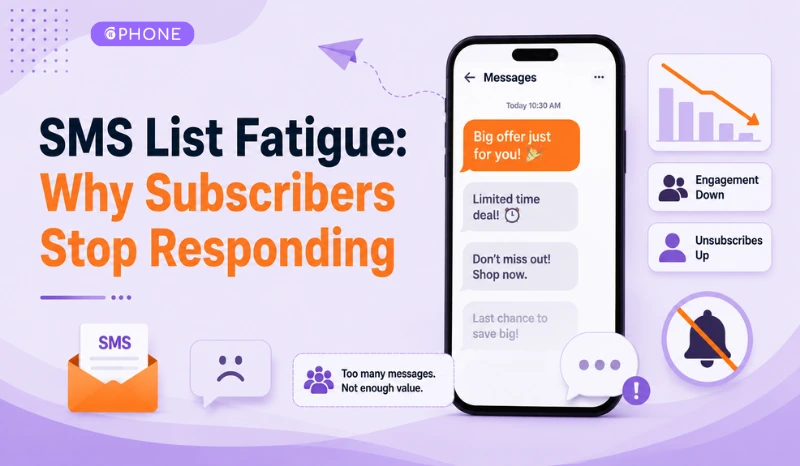
Illustration of SMS message overload causing subscriber fatigue

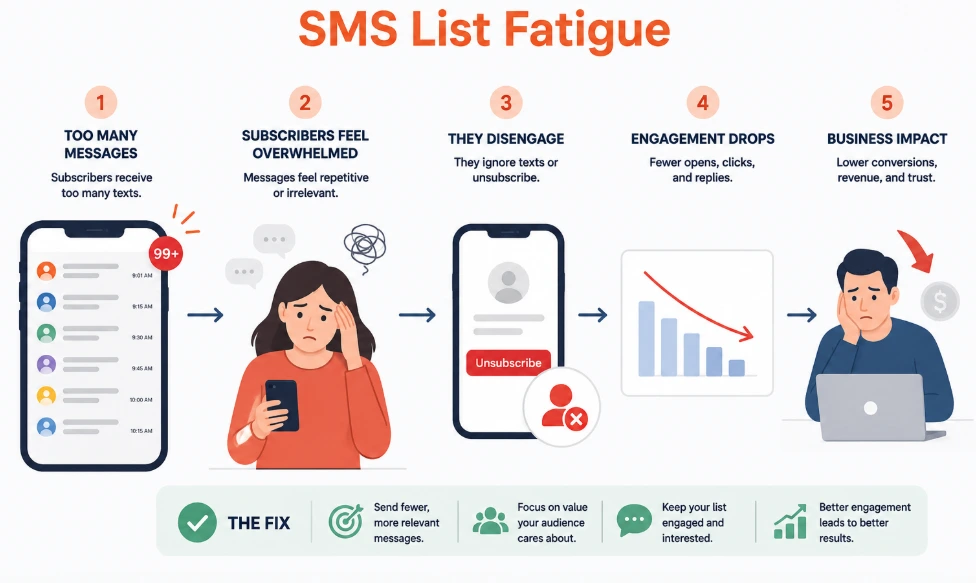
SMS list fatigue happens when subscribers stop engaging with texts they once responded to. Open rates can stay high while clicks, replies, and conversions quietly decline. This gap between opens and action is the clearest marker of fatigue. Here is what happens when you ignore it.

ConsequenceWhat it looks like
Revenue lossYour discounts and offers stop converting even though send volume stays the same
Carrier filteringSustained low engagement gets flagged, so future messages get blocked or delayed
Rising unsubscribe ratesSubscribers who feel ignored opt out faster than new ones join
Wasted messaging spendYou pay the same to send, but campaigns stop producing returns
Damaged sender reputationPoor engagement hurts deliverability for every future campaign, not just this one

How to identify SMS list fatigue early?


Fatigue shows up in your metrics before subscribers say anything. Track trends across several sends, not one campaign. A single weak send means little. A consistent decline across multiple campaigns is the real signal to act on.

The metrics that signal SMS fatigue:

MetricHow to check itWhy it signals fatigue
Click-to-open rate (CTOR)Divide clicks by opens for each campaign, then track the trendA falling CTOR means people open but disengage, even while raw open rate holds
Delivery rate and carrier filteringCheck delivery receipts from your SMS provider for "filtered" or "undelivered" codesCarriers throttle numbers with sustained low engagement, so delivery rate drops before subscribers unsubscribe
Revenue or clicks per messageDivide campaign revenue or clicks by total messages sent, then compare across sendsA decline here shows fatigue even when your list size stays flat
Per-send opt-out rateTrack unsubscribes as a percentage of that campaign's sends, not cumulative totalsA rising trend across consecutive sends flags fatigue before it becomes a mass exodus
Engaged subscriber ratioCalculate the percentage of your list that clicked in the last 90 daysA shrinking ratio is often the earliest signal, before other metrics move
Reply rate on two-way campaignsTrack replies on keyword and conversational flows, not one-way promotional blastsThis applies only where two-way messaging exists, but a drop shows falling intent to engage

The most common reasons for SMS fatigue


Most SMS marketing fatigue comes down to three habits. Brands send SMS too often. They push offers that don't match what the recipient wants. And invalid numbers remain on the list, uncleaned, dragging down every campaign that follows.

None of this shows up in the dashboard. Not until engagement has already declined sharply.

1. Message frequency overload


Sending three or four promotional texts per week without planning trains subscribers to treat your messages as noise. The fix isn't cutting volume across the board. It's capping frequency by segment, so engaged subscribers get more and lapsed ones get fewer.

  • Highly engaged subscribers: higher send frequency
  • Low-engagement subscribers: capped or reduced frequency
  • Test cadence against reply rates before adding a new campaign

2. Generic non-relevant offers


A discount on something a subscriber never bought signals you don't know your list. One irrelevant offer gets ignored. Two or three irrelevant messages in a row and most subscribers will opt out. This is solved faster than any frequency change alone: segmenting by purchase history or browsing behavior. It may mean smaller send batches, but it works better.

  • Match offers to past purchase or browsing data
  • Avoid blanket discounts sent to the entire list
  • Rotate in non-promotional content, like tips and updates, between offers

3. Unvalidated numbers on your list


Landlines, VoIP lines, and disconnected numbers get logged as "sent." They never reach anyone capable of clicking or replying. That inflates your send volume while real engagement quietly drops. Your dashboard reads it as fatigue instead of bad data. Validating the list before each send removes this variable, so every metric reflects actual subscriber behavior.

  • Landline and VoIP numbers never convert, regardless of message quality
  • Disconnected numbers count as sends but distort engagement data
  • Validation before sending isolates true fatigue from bad data

Strategies to reduce SMS list fatigue


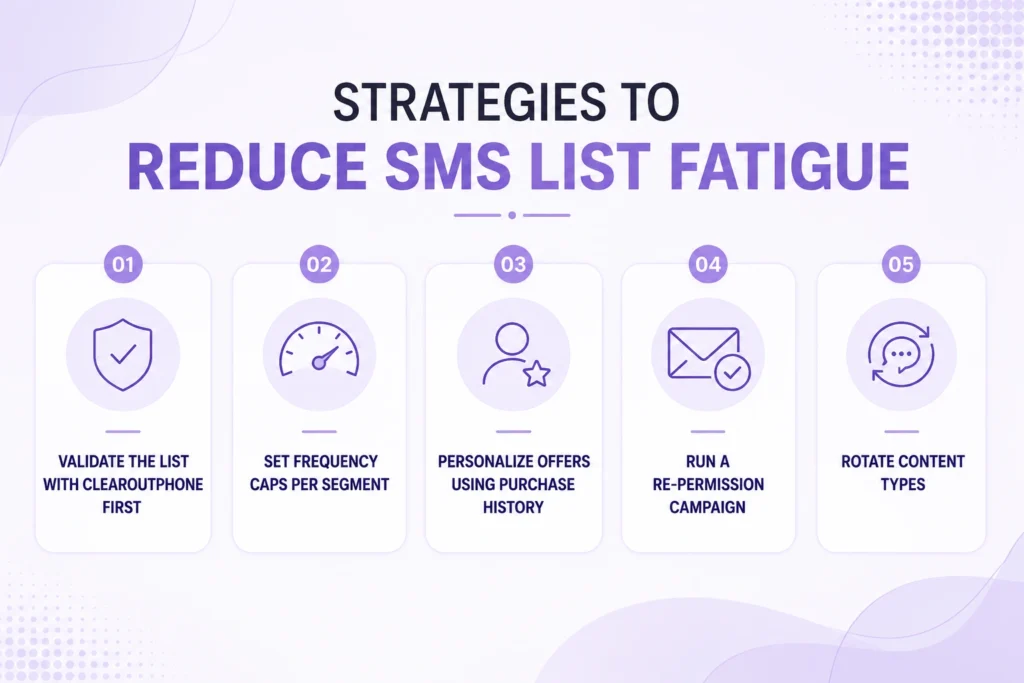
Best strategies to reduce SMS list fatigue

1. Validate the list with ClearoutPhone first


Before touching frequency or content, confirm if the list itself is clean. You can use ClearoutPhone for this.

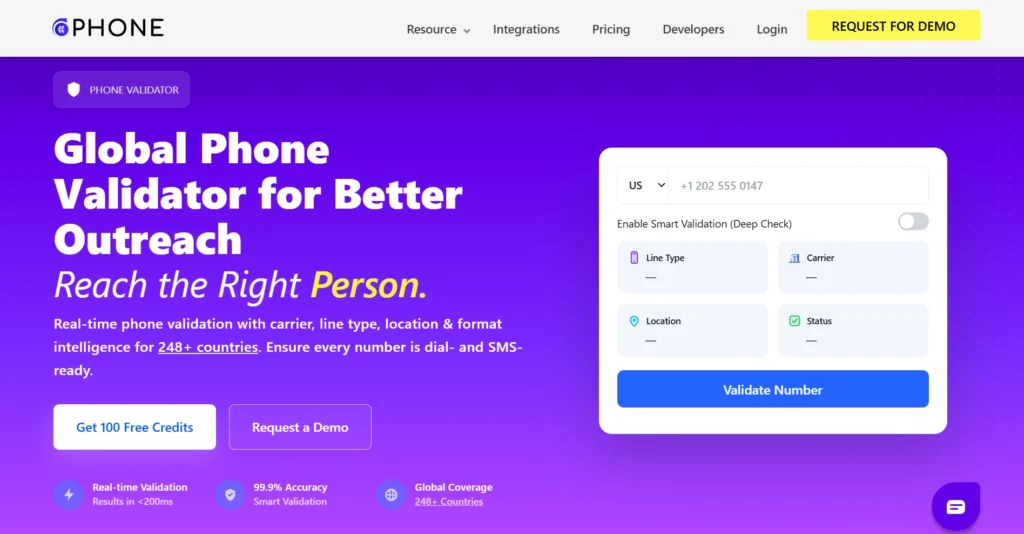
ClearoutPhone checks line type, carrier, and status for every number in under 200ms, at 99.9% accuracy across 248+ countries. Landlines, VoIP lines, and disconnected numbers get flagged before they count against engagement data.

  • Run the full list through bulk validation via CSV or XLSX upload.
  • Connect the developer API at sign up to block invalid numbers at point of capture.
  • Once the list is clean, recalculate baseline engagement. Then all metrics will reflect real subscriber behavior.

2. Set frequency caps per segment


Apply send limits based on how each subscriber has responded over the last 90 days, not a single cap for the whole list.

  • Highly engaged subscribers can handle three to four sends a week without a drop in response.
  • Low-engagement subscribers should get one send a week, sometimes fewer.
  • Test each new cadence against reply rate for two to three cycles before locking it in.

A cap set once and left alone stops working as subscriber behavior shifts.

3. Personalize offers using purchase history


A discount on something a subscriber never bought or browsed gets ignored once. Send it again and it triggers an opt-out.

  • Pull purchase and browsing data into segmentation before building the next campaign.
  • Drop blanket discounts sent to the entire list regardless of buying history.
  • Match offer category to purchase history. A skincare buyer and an electronics buyer should not get the same text.

This takes more setup than one blast, but it holds engagement longer than a frequency change on its own.

4. Run a re-permission campaign


Avoid the tendency to interpret falling metrics as a sign that subscribers don’t want to hear from you. Ask them. A short, one-question message (reply YES to keep receiving messages, or STOP to stop receiving them) filters out subscribers who were already effectively disengaged.

Use this before fatigue peaks, not after. If a subscriber is already annoyed by frequency, a re-permission text speeds up the opt-out instead of preventing it.

5. Rotate content types


Not every message needs to sell something. Insert order updates, product tips, or restock alerts between promotional sends so the number doesn't get associated with constant asks.

These five strategies fix frequency, relevance, and trust. Additionally, it fixes the phone number list. That's a data problem, and it needs validation to prevent SMS fatigue.

How to re-engage subscribers showing SMS fatigue?


The strategies above prevent fatigue before it sets in. They do not recover a subscriber who already stopped responding weeks ago. A separate approach is needed once someone goes quiet for 60 to 90 days. And here it is:

  • First test reduced frequency: Cut sends to this segment in half for 30 days, then write them off.
  • Ask a simple yes or no question: Instead of another offer, ask whether they still want to receive texts from you.
  • Set up a sunset rule: Suppress or remove from active sends any subscriber with zero engagement across five consecutive sends. Do not simply delete records.
  • Re-validate before re-engaging: Run the inactive segment through ClearoutPhone first. Some of that segment is likely invalid numbers rather than fatigued subscribers.

A sunset rule does more than clean the list. It removes unresponsive segments before they accumulate, instead of leaving them on the list indefinitely. Subscribers who confirm interest through a direct question respond better than those who simply received another promotional offer.

How can ClearoutPhone keep your SMS list healthy?


Screenshot of ClearoutPhone home page

A list built up over years without validation accumulates numbers that no longer work. Every campaign sent to them fails to convert. Engagement metrics take the blame instead of the real cause.

Phone validation tools like ClearoutPhone remove these numbers before they reach a campaign and make sure every metric that follows reflects actual subscriber behavior. Here are some key features of ClearoutPhone:

  • Real-time Verification: Numbers are verified in under 200ms at point of capture. It detects invalid, landline, and VoIP numbers before they enter your list.
  • Bulk List Validation: Upload a CSV or XLSX file and validate a whole list of phone numbers at once.
  • Line Type Detection: It tells you if the number is a mobile, landline or VoIP number so you never end up adding landlines and VoIP lines to your SMS list.
  • Carrier Lookup: Checks the registered network carrier and flags ported numbers before the campaign goes out.
  • Smart Validation: For hard-to-verify numbers (like recently ported or VoIP lines), it does a deeper telecom check to ensure the highest level of accuracy.
  • E.164 Formatting: Automatically formats international numbers in a standard format to avoid formatting errors that can cause your SMS to fail.
  • Timezone and Location Data: Syncs sends with each subscriber’s local time zone to avoid messaging during off-hours.
  • International SMS Programs with Global Coverage: Validates phone numbers in 248+ countries.
  • Developer API: Integrates directly into sign-up forms to block invalid numbers at point of capture.

The advantages of SMS list validation


Validation changes what your engagement data actually tells you. Once bad numbers are removed by ClearoutPhone, every metric reflects real SMS subscriber engagement.

  • Higher reply and click-through rates: Campaigns reach only numbers capable of receiving and responding to messages.
  • Fewer wasted sends: Removing invalid numbers lowers the cost of every campaign without shrinking real reach.
  • Higher delivery rate: Removing landlines and VoIP numbers improves delivery rate significantly since every remaining number in the send is confirmed SMS-capable.
  • Reduced carrier filtering risk: Carriers throttle senders when filtered or undelivered codes climb past a threshold. A validated list keeps that rate low enough to avoid getting flagged.
  • Accurate CTOR: Click-to-open rate reflects real subscriber interest instead of being diluted by numbers that were never capable of opening or clicking a message.

Final takeaways


Ignoring SMS list fatigue makes engagement drop, unsubscribes go up, and poor performance can eventually impact SMS deliverability. The most carefully planned campaigns lose effectiveness over time.

Countering subscriber fatigue can be achieved by decreasing messaging frequency and improving content. Regular phone validation with ClearoutPhone removes invalid and unreachable numbers, improving SMS deliverability and keeping engagement metrics accurate.

The result is better campaign performance, lower wasted sends, and more reliable customer engagement.

Reduce SMS list fatigue today


Try ClearoutPhone Now

FAQ


1. What is SMS list fatigue?
SMS list fatigue is when your list size stays the same, but subscriber engagement drops. Click, reply and conversion rates may decline, but open rates can remain high. This is often because of too many messages, irrelevant content or not properly segmenting your audience.
2. How do I know if my subscribers are experiencing SMS fatigue?
If your click-through rates are down, responses are taking longer, and your unsubscribes are increasing, you could have a case of SMS fatigue. One weak campaign is not evidence of fatigue. Validate your list with ClearoutPhone first to rule out invalid numbers, improve SMS deliverability, and make campaign performance easier to assess.
3. What is a good rate for SMS opt-outs?
You must keep SMS unsubscribe rates below 0.5% per campaign. If the rates exceed that, you have a frequency/relevance problem to address. Benchmarks vary by industry, so compare to your own historical average too.
4. Do invalid phone numbers result in lower SMS engagement?
Yes. Landline, VoIP, and disconnected numbers all show as sent but never reach an actual subscriber. ClearoutPhone flags these before a campaign goes out. Removing them improves delivery rates and gives you a more accurate view of campaign engagement.
5. How frequently do I need to clean my SMS subscriber list?
Most teams find it useful to validate phone numbers at signup and run a bulk check every 90 days. This helps catch invalid, disconnected, or reassigned numbers before they affect campaign performance. ClearoutPhone automates real-time and bulk validation to improve SMS deliverability and keep engagement metrics accurate.

Search

Recent Posts

  • SMS List Fatigue: Why Subscribers Stop Responding July 31, 2026
  • Prevent OTP Delivery Failures and Improve User Onboarding June 30, 2026
  • SMS Drip Campaigns: The Complete Guide for 2026 June 3, 2026
  • How to Automate Phone Validation With ClearoutPhone API April 7, 2026
  • How To Build a Cold Calling List in 2026 (A Step-by-Step Guide) February 27, 2026

Phone Validation Service

Reach out to more real customers for your business

Create a free account with 100 credits

Company

Contact

Careers

Affiliates

Status

ClearoutPhone

Why ClearoutPhone?

Pricing

Feature

FAQ

Resources

Integration

API & Documentation

Blog

Help

Legal

Privacy Policy

Terms & Conditions

Security

 ISO 27001/2022

Products

Carrier Lookup

Phone Line Type Lookup

Email Verifier

Email Finder

Form Guard

Prospect

LinkedIn Email Finder

© 2026 ClearoutPhone - All Rights Reserved Powered by Clearout Inc.

Disclaimer: ClearoutPhone may contain links to third-party websites or resources. In no event shall we be liable to third parties availability, accuracy, the related content, products, services or any special, punitive, incidental, indirect or consequential damages of any kind, or any damages whatsoever, including, without limitation, those resulting from loss of use, lost data or profits, or any liability, arising out of or in connection with the use of this third-party software.

💰 Stop wasting SMS credits: Use Smart Validation to identify active status before you send. View Smart Validation →
x